How to set a custom border color for controls
Estimated Reading Time: < 1 MinuteYou can use the BORDER-COLOR property on any control that displays a border when the BOXED style is applied. This property supports all COBOL color values as well as RGB color definitions.
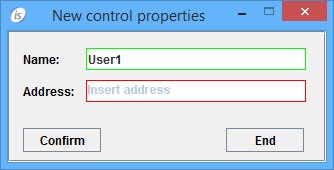
The following example demonstrates how to use the BORDER-COLOR property:
  03 efname entry-field line 2 col 12 size 30
            border-color 11
  03 efaddress entry-field line 4 col 12 size 30
            border-color 13.
Here's the final result of the code above.