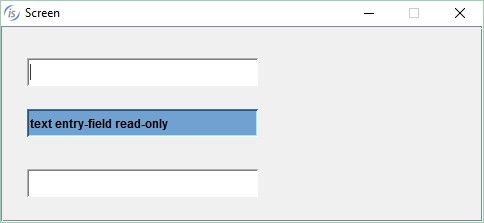
To change the default color of a read-only entry-field you can apply the background-color and foreground-color properties or the color property to combine custom background and foreground colors in the entry-field control's properties.
To change the colors externally, set the iscobol.gui.entry-field.read_only_color configuration variable.
iscobol.gui.entryfield.read_only_color=72
or
iscobol.gui.entryfield.read_only_color=2,16
or
iscobol.gui.entryfield.read_only_color=-128,-16777215
You can append a semi-colon and the value 1 to specify that the colors are applied only if the COLOR property is not used in the entry-field description. The default is value is 0, to always apply the colors. For instance, to set a light blue background color and a black foreground color to be applied to all entry-fields that don't already have a COLOR property, would set the variable like this:
iscobol.gui.entryfield.read_only_color=-7446992,-1;1
Article ID: 268
Created: April 5, 2016
Last Updated: January 5, 2026
Author: Support KB Author
Online URL: https://support.veryant.com/phpkb/article.php?id=268