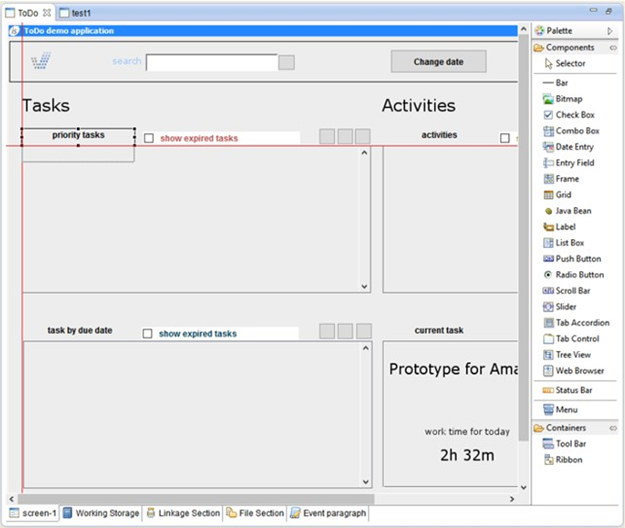
isCOBOL’s IDE includes the Snap-To-Guides feature in both the Screen Painter and Report Painter. This feature simplifies component alignment when designing screens or reports. As you drag a control across the canvas, red guidelines appear in real time, indicating alignment with the rows or columns of nearby controls.
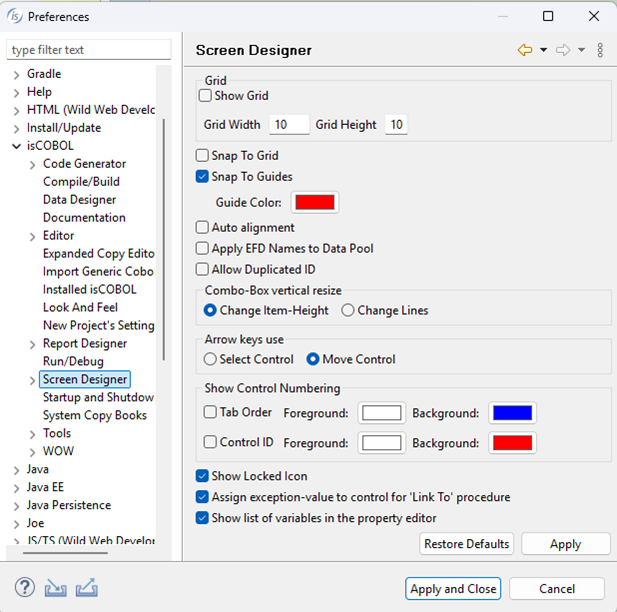
The feature is active by default. You can turn it on and off, as well as change the color in the Window preferences as follows:
- Click on Window in the menu bar
- Choose Preferences
- Choose isCOBOL > Screen Designer from the tree
- Mark the Snap To Guides check-box, and modify the color if desired.
Article ID: 285
Created: July 4, 2017
Last Updated: January 6, 2026
Author: Support KB Author
Online URL: https://support.veryant.com/phpkb/article.php?id=285