How do I resolve the error 'Application Blocked by Java Security' working with jnlp?
Estimated Reading Time: 1 MinutesIf you are deploying your application through Java Web Start with a .jnlp file, you might see this error. This is caused by the launch of an untrusted application. Java doesn’t allow users to run applications that are not signed, are self-signed, or missing permission attributes.
To resolve the problem, you should add the URL of the JNLP file to the exception site list. Do this by going to the Java control panel (put “configure Java” in the search panel to access the Java control panel), click on the Security tab, then Edit Site List.
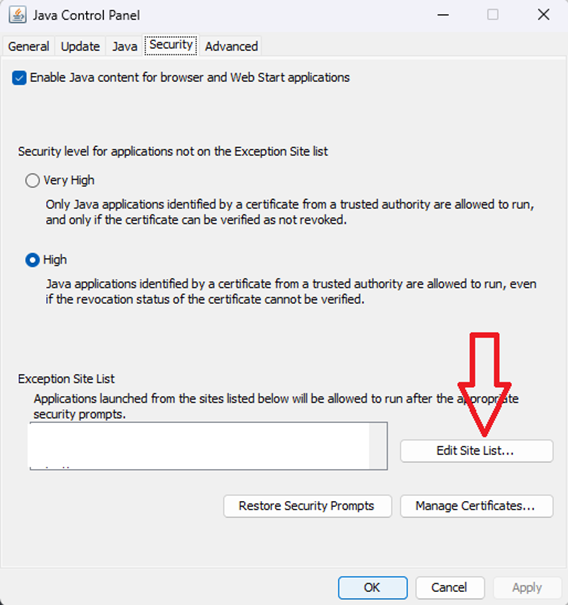
This will allow your application to run with some warnings. You should consider replacing the jnlp with the thin client – downloading an .istc file after thin client is installed on the client machine. You can also use WebClient for a completely Web-based environment. Contact support or your account manager for more information.